2008 年 03 月

浏览模式: 标准 | 列表 | 图文
PHP中str_replace函数的详解 [转 ]

PHP中str_replace函数的详解 [转 ]

在实际的程序开发中,执行字符串替换操作是一件非常经常的事,对str_replace函数的实用也会非常频繁。
这段时间在看《PHP和MySQL Web开发》一书看到str_replace讲解,一段小提示写到:可以为str_replace的三个都使用数组传入,但讲解比较简单,于是决定自己的试验一下该函数在各个参数传入数组时的执行结果。
函数原型:mixed str_replace(mixed needle,mixed new_needle,mixed haystack[,int &count]);
needle:要被替换的字符串,new_needle:替换用的字符串,haystack:操作字符串,count:替换次数【可选参数】
我们重点试验前三个在使用数组是的执行方式:

在都不使用数组时,该函数直接使用new_needle替换所有的needle并返回替换后的字符串。如:str_replace("m","n","my name is jim!")返回ny nane is jin!

1、只对needle使用数组。
示例:str_replace(array('m','i'),'n',"my name is jim!");返回:ny nane ns jnn!
可以看出,函数顺序性的对数组中每个字符串进行替换,并返回替换后的字符串。
2、只对new_needle使用数组。
示例:str_replace('m',array('n','z'),"my name is jim!\n")返回:Arrayy naArraye is jiArray!
该替换比较有意思,如果只对第二个参数使用数组则函数将其作为字符串Array进行使用,将所有的needle替换为了数组。
3、只对haystack使用数组。
示例:str_replace("m","n",array("my name is jim!","the game is over!"))该语句执行结果返回一个数组,即分别为传入的两个字符串替换后的结果。
如果输出数组内容会看到:ny nane is jin! the gane is over!

4、对needle和new_needle都使用数组。
示例:str_replace(array("m","i"),array("n","z"),"my name is jim!")返回:ny nane zs jzn!
查看执行结果可以发现,如果前两个参数都使用数组则函数把数组各个对象项字符串进行了替换,及needle的第一项替换为new_needle的第一项。以此类推。
如果needle数组比new_deedle长,例如:str_replace(array("m","i","s"),array("n","z"),"my name is jim!");返回:ny nane z jzn!可见,对于needle数组多出来的字符串被替换为了空串。
如果new_needle数组比needle长,例如:str_replace(array("m","i"),array("n","z","x"),"my name is jim!")返回ny nane zs jzn!可见new_needle多余的项被忽略。
5、三个参数都使用数组。
例如:str_replace(array("m","i"),array("n","z"),array("my name is jim!","the game is over"))返回的数组内容:ny nane zs jzn!the gane zs over
这个比较好理解,对两个字符串分别执行替换。

简单总结下,防止自己忘记!

PHP中Eval的作用

PHP中Eval的作用

eval是什么,相信很多都会知道。但真实有多少人使用它呢?恐怕在实际应用中,使用的也比较少吧。让我们看看手册上是怎么说的先:

eval
(PHP 3, PHP 4, PHP 5)

eval -- Evaluate a string as PHP code
说明
mixed eval ( string code_str )


Evaluates the string given in code_str as PHP code. Among other things, this can be useful for storing code in a database text field for later execution.

There are some factors to keep in mind when using eval(). Remember that the string passed must be valid PHP code, including things like terminating statements with a semicolon so the parser doesn't die on the line after the eval(), and properly escaping things in code_str. To mix HTML output and PHP code you can use a closing PHP tag to leave PHP mode.

Also remember that variables given values under eval() will retain these values in the main script afterwards.

参数


code_str
The code string to be evaluated. code_str does not have to contain PHP Opening tags.

A return statement will immediately terminate the evaluation of the string .


返回值
As of PHP 4, eval() returns NULL unless return is called in the evaluated code, in which case the value passed to return is returned. In case of a parse error in the evaluated code, eval() returns FALSE.

In PHP 3, eval() does not return a value.

注释
注意: 由于这是一个语言结构而非函数,因此它无法被变量函数调用。

提示: 为了防止程序直接将结果输出到浏览器,可以使用输出控制函数来捕获此函数的输出,并把它们保存到一个例如 string 类型的变量中。

注意: In case of a fatal error in the evaluated code, the whole script exits.

手册上也有一段例子,是为了演示用的:

<?php
$string = 'cup';
$name = 'coffee';
$str = 'This is a $string with my $name in it.';
echo $str. "\n";
eval("\$str = \"$str\";");
echo $str. "\n";
?>

输出的结果如下:
This is a $string with my $name in it.
This is a cup with my coffee in it.

看了这个例子,相信很容易理解Evaluate a string as PHP code的含义了吧。正因为这样,所以eval()里的参数一定要有";"结尾,可以让PHP解释器知道这句PHP代码结束了。

上面是最常用的方法,当然也会有一些奇怪的用法:

<?php

eval('test');
eval('>' . 'test');

直接运行第3行的代码肯定是报错,但是……第四行却又是正常的。因为"?>"让PHP代码结束了,整行代码的意思相当于 echo 'test';所以可以用类似的方法来输出其他不太适合用echo输出的内容,而又不影响代码的正常执行(比如,加载一个PHP文件,如果直接用echo(file_get_contents('aaa.php')))那么,输出的内容纯粹就是aaa.php的内容。而eval('?>'.file_get_contents('aaa.php'))则是输出aaa.php执行后的内容。

再来看看手册的评论里,老外(pierrotevrard at gmail dot com)还有这种更强劲的用法,当然,也非常的BT,仍然可以值得借鉴一下

<?php
if( ! defined('MY_ARRAY') ){
define( 'MY_ARRAY' , 'return ' . var_export( array( 1, 2, 3, 4, 5 ) , true ) . ';' );
}

$my_array = eval( MY_ARRAY );

if( ! class_exists( 'my_class' ) ){
class my_class {
//private propreties
var $_prop;
var $_custom_check = 'return true;'; //of course, I want a default check code that return true

//PHP4 constructor
function my_class() {
$this -> _prop = eval( MY_ARRAY );
}
function customize_check( $code ) {
$this -> _custom_check = $code;
}
function check( $val ) {
return eval( $this -> _custom_check );
}
}
}

$my_class = new my_class();

$check = 'return in_array( $val , $this -> _prop , true );';
$my_class -> customize_check( $check );

print '<pre>';
if( $my_class -> check( 1 ) ){
echo '1 is checked as true.' . "\n";
}
else{
echo '1 is checked as false.' . "\n";
}
//show: 1 is checked as true.

if( $my_class -> check( '1' ) ){
echo '"1" is checked as true.' . "\n";
}
else{
echo '"1" is checked as false.' . "\n";
}
//show: "1" is checked as false.
print '</pre>';
PHP一些常用的计算时间方法

PHP一些常用的计算时间方法

在PHP里面,要想统计一个action或者一个函数或者某个过程的执行所消耗的时间往往都只有一个办法:在运算前记录下时间戳,在运算后记录下时间戳,然后相减,就能得到一个相对比较实际的时间。

基本代码如下(从phpmyadmin里复制而来,懒得打了。这段代码其实也就是phpMyadmin里SQL的执行时间的计算):

<?php
// garvin: Measure query time.
// TODO-Item http://sourceforge.net/tracker/index.php?func=detail&aid=571934&group_id=23067&atid=377411
$querytime_before = array_sum(explode(' ', microtime()));

$result = @PMA_DBI_try_query($full_sql_query, null, PMA_DBI_QUERY_STORE);

$querytime_after = array_sum(explode(' ', microtime()));

$GLOBALS['querytime'] = $querytime_after - $querytime_before;

?>

其中 array_sum(explode(' ', microtime())); 是PHP4时代的写法,到PHP5之后,microtime函数多了一个bool值的参数,加上这个参数后可以直接得到 array_sum(explode(' ', microtime())); 相等的值,即:microtime(true);

本文并无技术含量,纯粹用来记录一下。

千辛万苦,跨入股市

随着大盘天天下跌,为了全国苍生,不得己跨入股市拯救世界和平啊。。

“等等,小兄弟,哇,你有一道灵光从天灵盖喷出来啊!小小年纪竟然就有一副横练的筋骨,真是百年难得一遇的武学奇才。我这里有本秘笈,见你这么投缘,十块钱卖给你,以后维护世界和平,警恶惩奸的任务就交给你了,好吗”

结婚,又见结婚

结婚,又见结婚

今天去参加了一个朋友的婚礼。才发现周围的人一个个的都步入了婚姻的殿堂。当然,我也是其中的一员了。

单身的人越来越少了。

发贴纪念世界上又少了一个贵族。围城里又多了一个方鸿渐。

推荐一个Jquery插件:autoComplete

推荐一个Jquery插件:autoComplete

我就不翻译了……

这些东西也不复杂。

Copy网站开始……黑黑

Dependencies

Known issues:

  • When completing multiple values, only the last value can be edited with the autocomplete help
  • mustMatch option is broken (mostly fixed in latest revision)
  • default browser autocomplete displays a long list of values scrollable, that isn’t supported yet

Recent changes

Documentation

Autocompletition of input elements is a very helpful tool to guide users in entering the right value. That value can come from a (big) list of possible values or it may consist of values the user has entered before. This plugin makes it easy for a developer to setup autocomplete for text inputs and textareas.

Setup
First step in setting up autocomplete is to decide what kind of data is provided. To autocomplete a few dozen possible values, it is a good idea to provide local data. The data is loaded only once and then cached, providing a very responsive interface.
If the data can consist of hundreds, thousands or even millions of rows, the searching and filtering must be done where performance won’t suffer, in most cases a relational database (eg. MySQL). The plugin will request the rows for the entered value, displaying only a subset of all possible values.
For local autocomplete, just pass the data as an array to the autocomplete plugin. For remote autocomplete, specify an URL pointing to the resource providing the data. The plugin then requests data with a “q” parameter containing the current search value.

API

  • autocomplete( String|Array urlOrData, Map options ) returns jQuery
    Provide autocomplete for text-inputs or textareas.

    Depends on dimensions plugin’s offset method for correct positioning of the select box and bgiframe plugin
    to fix IE’s problem with selects.

    Options

    • inputClass (String): This class will be added to the input box. Default: “ac_input”
    • resultsClass (String): The class for the UL that will contain the result items (result items are LI elements). Default: “ac_results”
    • loadingClass (String): The class for the input box while results are being fetched from the server. Default: “ac_loading”
    • minChars (Number): The minimum number of characters a user has to type before the autocompleter activates. Default: 1
    • delay (Number): The delay in milliseconds the autocompleter waits after a keystroke to activate itself. Default: 400 for remote, 10 for local
    • cacheLength (Number): The number of backend query results to store in cache. If set to 1 (the current result), no caching will happen. Do not set below 1. Default: 10
    • matchSubset (Boolean): Whether or not the autocompleter can use a cache for more specific queries. This means that all matches of “foot” are a subset of all matches for “foo”. Usually this is true, and using this options decreases server load and increases performance. Only useful with cacheLength settings bigger then one, like 10. Default: true
    • matchCase (Boolean): Whether or not the comparison is case sensitive. Only important only if you use caching. Default: false
    • matchContains (Boolean): Whether or not the comparison looks inside (i.e. does “ba” match “foo bar”) the search results. Only important if you use caching. Don’t mix with autofill. Default: false
    • mustMatch (Booolean): If set to true, the autocompleter will only allow results that are presented by the backend. Note that illegal values result in an empty input box. Default: false
    • extraParams (Object): Extra parameters for the backend. If you were to specify { bar:4 }, the autocompleter would call my_autocomplete_backend.php?q=foo&bar=4 (assuming the input box contains “foo”). Default: {}
    • selectFirst (Boolean): If this is set to true, the first autocomplete value will be automatically selected on tab/return, even if it has not been handpicked by keyboard or mouse action. If there is a handpicked (highlighted) result, that result will take precedence. Default: true
    • formatItem (Function): Provides advanced markup for an item. For each row of results, this function will be called. The returned value will be displayed inside an LI element in the results list. Autocompleter will provide 3 parameters: the results row, the position of the row in the list of results (starting at 1), and the number of items in the list of results. Default: none, assumes that a single row contains a single value.
    • formatResult (Function): Similar to formatResult, but provides the formatting for the value to be put into the input field. Again three arguments: Data, position (starting with one) and total number of data. Default: none, assumes either plain data to use as result or uses the same value as provided by formatItem.
    • multiple (Boolean): Whether to allow more then one autocomplted-value to enter. Default: false
    • multipleSeparator (String): Seperator to put between values when using multiple option. Default: “, “
    • width (Number): Specify a custom width for the select box. Default: width of the input element
    • autoFill (Boolean): Fill the textinput while still selecting a value, replacing the value if more is type or something else is selected. Default: false
    • max (Number): Limit the number of items in the select box. Is also send as a “limit” parameter with a remote request. Default: 10

    Example:

    Autocomplete a text-input with remote data. For small to giant datasets.

    When the user starts typing, a request is send to the specified backend (”my_autocomplete_backend.php”),
    with a GET parameter named q that contains the current value of the input box and a paremeter “limit” with
    the value specified for the max option.

    A value of “foo” would result in this request url: my_autocomplete_backend.php?q=foo&limit=10

    The result must return with one value on each line. The result is presented in the order
    the backend sends it.

    $("#input_box").autocomplete("my_autocomplete_backend.php");

    HTML:

    <input id="input_box" />

    Example:

    Autcomplete a text-input with local data. For small datasets.

    $("#input_box").autocomplete(["Cologne", "Berlin", "Munich"]);

    HTML:

    <input id="input_box" />

    Example:

    Autcomplete a text-input with data received via AJAX. For small to medium sized datasets.

    $.getJSON("my_backend.php", function(data) {
      $("#input_box").autocomplete(data);
    });

    HTML:

    <input id="input_box" />

    Example:

    Autcomplete a textarea with local data (for small datasets). Once the user chooses one
    value, a separator is appended (by default a comma, see multipleSeparator option) and more values
    are autocompleted.

    $("#mytextarea").autocomplete(["Cologne", "Berlin", "Munich"], {
     multiple: true
    });

    HTML:

    <textarea id="mytextarea" />
  • result( Function handler ) returns jQuery
    Handle the result of a search event. Is executed when the user selects a value or a
    programmatic search event is triggered (see search()).

    You can add and remove (using unbind(”result”)) this event at any time.

    Example:

    Bind a handler to the result event to display the selected value in a #result element.
    The first argument is a generic event object, in this case with type “result”.
    The second argument refers to the selected data, which can be a plain string value or an array or object.
    The third argument is the formatted value that is inserted into the input field.

    jQuery('input#suggest').result(function(event, data, formatted) {
      jQuery("#result").html( !data ? "No match!" : "Selected: " + formatted);
    });
  • search( ) returns jQuery
    Trigger a search event. See result(Function) for binding to that event.

    A search event mimics the same behaviour as when the user selects a value from
    the list of autocomplete items. You can use it to execute anything that does something
    with the selected value, beyond simply putting the value into the input and submitting it.

    Example:

    Triggers a search event.

    jQuery('input#suggest').search();

jQuery一些插件的链接[转]

文件上传(File upload)JQuery_001

Ajax File Upload.
jQUploader.
Multiple File Upload plugin.
jQuery File Style.
Styling an input type file.
Progress Bar Plugin.

表单验证(Form Validation)

jQuery Validation.
Auto Help.
Simple jQuery form validation.
jQuery XAV - form validations.
jQuery AlphaNumeric.
Masked Input.
TypeWatch Plugin.
Text limiter for form fields.
Ajax Username Check with jQuery.

表单-选取框(Form - Select Box stuff)

jQuery Combobox.
jQuery controlled dependent (or Cascadign) Select List.
Multiple Selects.
Select box manipulation.
Select Combo Plugin.
jQuery - LinkedSelect
Auto-populate multiple select boxes.
Choose Plugin (Select Replacement).

表单基本、输入框、选择框等(Form Basics, Input Fields, Checkboxes etc.)

jQuery Form Plugin.
jQuery-Form.
jLook Nice Forms.
jNice.
Ping Plugin.
Toggle Form Text.
ToggleVal.
jQuery Field Plugin.
jQuery Form’n Field plugin.
jQuery Checkbox manipulation.
jTagging.
jQuery labelcheck.
Overlabel.
3 state radio buttons.
ShiftCheckbox jQuery Plugin.
Watermark Input.
jQuery Checkbox (checkboxes with imags).
jQuery SpinButton Control.
jQuery Ajax Form Builder.
jQuery Focus Fields.
jQuery Time Entry.

时间、日期和颜色选取(Time, Date and Color Picker)

jQuery UI Datepicker.
jQuery date picker plugin.
jQuery Time Picker.
Time Picker.
ClickPick.
TimePicker.
Farbtastic jQuery Color Picker Plugin.
Color Picker by intelliance.fr.

投票插件(Rating Plugins)

jQuery Star Rating Plugin.
jQuery Star Rater.
Content rater with asp.net, ajax and jQuery.
Half-Star Rating Plugin.

搜索插件(Search Plugins)

jQuery Suggest.
jQuery Autocomplete.
jQuery Autocomplete Mod.
jQuery Autocomplete by AjaxDaddy.
jQuery Autocomplete Plugin with HTML formatting.
jQuery Autocompleter.
AutoCompleter (Tutorial with PHP&MySQL).
quick Search jQuery Plugin.

编辑器(Inline Edit & Editors)JQuery_002

jTagEditor.
WYMeditor.
jQuery jFrame.
Jeditable - edit in place plugin for jQuery.
jQuery editable.
jQuery Disable Text Select Plugin.
Edit in Place with Ajax using jQuery.
jQuery Plugin - Another In-Place Editor.
TableEditor.
tEditable - in place table editing for jQuery.

多媒体、视频、Flash等(Audio, Video, Flash, SVG, etc)

jMedia - accessible multi-media embedding.
JBEdit - Ajax online Video Editor.
jQuery MP3 Plugin.
jQuery Media Plugin.
jQuery Flash Plugin.
Embed QuickTime.
SVG Integration.

图片(Photos/Images/Galleries)

ThickBox.
jQuery lightBox plugin.
jQuery Image Strip.
jQuery slideViewer.
jQuery jqGalScroll 2.0.
jQuery - jqGalViewII.
jQuery - jqGalViewIII.
jQuery Photo Slider.
jQuery Thumbs - easily create thumbnails.
jQuery jQIR Image Replacement.
jCarousel Lite.
jQPanView.
jCarousel.
Interface Imagebox.
Image Gallery using jQuery, Interface & Reflactions.
simple jQuery Gallery.
jQuery Gallery Module.
EO Gallery.
jQuery ScrollShow.
jQuery Cycle Plugin.
jQuery Flickr.
jQuery Lazy Load Images Plugin.
Zoomi - Zoomable Thumbnails.
jQuery Crop - crop any image on the fly.
Image Reflection.

Google地图(Google Map)

jQuery Plugin googlemaps.
jMaps jQuery Maps Framework.
jQmaps.
jQuery & Google Maps.
jQuery Maps Interface forr Google and Yahoo maps.
jQuery J Maps - by Tane Piper.

游戏(Games)

Tetris with jQuery.
jQuery Chess.
Mad Libs Word Game.
jQuery Puzzle.
jQuery Solar System (not a game but awesome jQuery Stuff).

表格等(Tables, Grids etc.)

UI/Tablesorter.JQuery_003
jQuery ingrid.
jQuery Grid Plugin.
Table Filter - awesome!.
TableEditor.
jQuery Tree Tables.
Expandable “Detail” Table Rows.
Sortable Table ColdFusion Costum Tag with jQuery UI.
jQuery Bubble.
TableSorter.
Scrollable HTML Table.
jQuery column Manager Plugin.
jQuery tableHover Plugin.
jQuery columnHover Plugin.
jQuery Grid.
TableSorter plugin for jQuery.
tEditable - in place table editing for jQuery.
jQuery charToTable Plugin.
jQuery Grid Column Sizing.
jQuery Grid Row Sizing.

统计图(Charts, Presentation etc.)

jQuery Wizard Plugin .
jQuery Chart Plugin.
Bar Chart.

边框、圆角、背景(Border, Corners, Background)

jQuery Corner.
jQuery Curvy Corner.
Nifty jQuery Corner.
Transparent Corners.
jQuery Corner Gallery.
Gradient Plugin.

文字和超链接(Text and Links)

jQuery Spoiler plugin.
Text Highlighting.
Disable Text Select Plugin.
jQuery Newsticker.
Auto line-height Plugin.
Textgrad - a text gradient plugin.
LinkLook - a link thumbnail preview.
pager jQuery Plugin.
shortKeys jQuery Plugin.
jQuery Biggerlink.
jQuery Ajax Link Checker.

鼠标提示(Tooltips)

jQuery Plugin - Tooltip.
jTip - The jQuery Tool Tip.
clueTip.
BetterTip.
Flash Tooltips using jQuery.
ToolTip.

菜单和导航(Menus, Navigations)

jQuery Tabs Plugin - awesome! . [demo nested tabs.]
another jQuery nested Tab Set example (based on jQuery Tabs Plugin).
jQuery idTabs.
jdMenu - Hierarchical Menu Plugin for jQuery.
jQuery SuckerFish Style.
jQuery Plugin Treeview.
treeView Basic.
FastFind Menu.
Sliding Menu.
Lava Lamp jQuery Menu.
jQuery iconDock.
jVariations Control Panel.
ContextMenu plugin.
clickMenu.
CSS Dock Menu.
jQuery Pop-up Menu Tutorial.
Sliding Menu.

http://stilbuero.de/jquery/tabs_3/

幻灯、翻转等(Accordions, Slide and Toggle stuff)

jQuery Plugin Accordion.
jQuery Accordion Plugin Horizontal Way.
haccordion - a simple horizontal accordion plugin for jQuery.
Horizontal Accordion by portalzine.de.
HoverAccordion.
Accordion Example from fmarcia.info.
jQuery Accordion Example.
jQuery Demo - Expandable Sidebar Menu.
Sliding Panels for jQuery.
jQuery ToggleElements.
Coda Slider.
jCarousel.
Accesible News Slider Plugin.
Showing and Hiding code Examples.
jQuery Easing Plugin.
jQuery Portlets.
AutoScroll.
Innerfade.

拖放插件(Drag and Drop)

UI/Draggables.
EasyDrag jQuery Plugin.
jQuery Portlets.
jqDnR - drag, drop resize.
Drag Demos.

XML XSL JSON Feeds

XSLT Plugin.
jQuery Ajax call and result XML parsing.
xmlObjectifier - Converts XML DOM to JSON.
jQuery XSL Transform.
jQuery Taconite - multiple Dom updates.
RSS/ATOM Feed Parser Plugin.
jQuery Google Feed Plugin.

浏览器(Browserstuff)

Wresize - IE Resize event Fix Plugin.
jQuery ifixpng.
jQuery pngFix.
Link Scrubber - removes the dotted line onfocus from links.
jQuery Perciformes - the entire suckerfish familly under one roof.
Background Iframe.
QinIE - for proper display of Q tags in IE.
jQuery Accessibility Plugin.
jQuery MouseWheel Plugin.

对话框、确认窗口(Alert, Prompt, Confirm Windows)

jQuery Impromptu.
jQuery Confirm Plugin.
jqModal.
SimpleModal.

CSS

jQuery Style Switcher.
JSS - Javascript StyleSheets.
jQuery Rule - creation/manipulation of CSS Rules.
jPrintArea.

DOM、AJAX和其它JQuery插件(DOM, Ajax and other jQuery plugins)

FlyDOM.
jQuery Dimenion Plugin.
jQuery Loggin.
Metadata - extract metadata from classes, attributes, elements.
Super-tiny Client-Side Include Javascript jQuery Plugin.
Undo Made Easy with Ajax.
JHeartbeat - periodically poll the server.
Lazy Load Plugin.
Live Query.
jQuery Timers.
jQuery Share it - display social bookmarking icons.
jQuery serverCookieJar.
jQuery autoSave.
jQuery Puffer.
jQuery iFrame Plugin.
Cookie Plugin for jQuery.
jQuery Spy - awesome plugin.
Effect Delay Trick.
jQuick - a quick tag creator for jQuery.
Metaobjects
.
elementReady.

回顾NeatStudio历程

刚才把域名往alexa里面输入了一下,发现neatcn.com还是在全球没有排名,只是下面关联的网站里,却有好多以往的东西。

717dd8fd4594366b7d44c42318928492

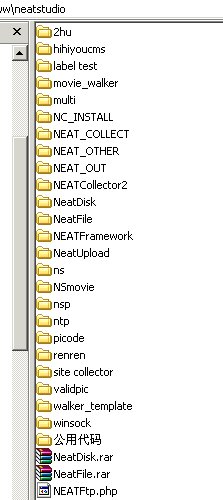
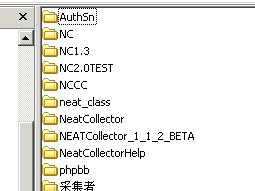
翻开以前的htdocs目录,找到了neatstudio目录,感慨一下。现在再看看以前的代码,还有值得可取的地方,当然……我写了不少的垃圾代码。怀念一下walker,hihiyou,totododo,老戴等团队成员。(他们写的代码比我优秀啊……顺便在网上邀请一下,等满月的时候,丫一个个给我过来送红包。NND,结婚的时候,怕你们太远,没让你们过来……满月你们还敢再逃?)

109fb084c399b53337a28b3c8a5cea6a

d05fcd00ebba35b294dc48143b6ce1c3

JpGraph中文乱码完美解决方案[转]

JpGraph中文乱码完美解决方案[转]

原文地址:http://lizi.blogbus.com/logs/12601515.html

很多人使用JpGraph会出现乱码问题,但是网上有好多并无效果的解决方式,经过反复试验及在网上看了其它人的经验,总结出在2.3版下最终较完美解决方案
1、把simsun.ttc字体拷到服务器/usr/X11R6/lib/X11/fonts/truetype下,当然这个目录可以自定义
2、不需要更改$aFF === FF_SIMSUN或$aFF === FF_CHINESE ,直接用以下代码即可
$title = "JpGraph中文测试";
$title = iconv("UTF-8", "gb2312", $title);
$graph->title->Set($title);
就可以完美的解决中文问题了
3、还有一个问题,就是右上方的中文显示问题,就是SetLegend函数,解决方式如下
打开jpgraph.php文件,找到
private $font_family=FF_FONT1,$font_style=FS_NORMAL,$font_size=12;
用
private $font_family=FF_SIMSUN,$font_style=FS_NORMAL,$font_size=8;
替换就OK了^_^

后记:本来都忘了这个了,正好有朋友问起类似的问题,于是又GOOGLE了一下,找到了这个,记录一下,也为GOOGLE的收录作点贡献,这样以后再有人遇到类似问题,更容易被搜索到。