这两天买了三本书,作为公司的资料。
head first设计模式,这本书相对是从浅入深,还不错
代码大全2精华本,这本就相对较简单了。。
编程珠玑,虽然做WEB开发看这个书好象有点浪费,但其实不然,还是可以看看的。
其他同事买了点算法、数据结构类的书,到时候也可以抢来看看。
我自己是买了head first的另外两本书,一本是项目管理的,一本是ios开发,感觉好象都是浅显易懂。
最近用脑图用多了一点,画画啥的都方便很多了,看来以后出规划可以直接用脑图出了
2011 年 08 月

nbscala-2.8.x
说实话,这个插件等了很久了。自从NB升级到7.0了,原来的scala插件就再也不能用了,即使用了以前的插件,也无法在新版的NB下运行。
直到前一阵子才发现,原来,终于有人更新了这个插件。。
怕多介绍了之后会影响别人的想法,我也不能过分主观的说太多这个插件的优点,就平常的介绍一下下吧。官网地址是:http://plugins.netbeans.org/plugin/36598/nbscala-2-8-x
官方的介绍就一句话:Scala plugin for NetBeans 7.0, works with Scala 2.8.x
附了一张小图片:
想用的人可以开始用了。

郁闷啊,我的PR值
真TMD纠结,为了这么备案,我现在真是吐血了。
原来的PR5都6、7年了,原来的备案都也6、7年,现在可好,备案突然消失,PR也降了1。
在这个神奇的国度,还有什么不能理解的,想想我也麻木了。
主要还是国外的VPS等不太方便,事实上我的站也几乎都保持着稳定,所以要再等等,如果顺利的话,还是准备迁移了。否则再这么折腾个几次,我是受不了了。
求理解。

扩展yii的验证类
在项目中遇到文件上传的问题,这时候需要用到CFileValidator,但是官方的验证中少了一点点的处理,比如,对于图片,我只想上传尺寸正好是300x500的图片。怎么办?
所以我做了一点小小的扩展,于是我在rules里面加了这么两条:
array('picname', 'application.validators.Myfile', 'on'=>'insert','types'=>'jpg,png','wrongType'=>'只允许上传jpg或者PNG','maxSize' => 1024*300,'tooLarge' => '图片最大只支持300K','imageSize'=>'768x1024','wrongImageSize'=>'对不起,图片尺寸只支持768*1024'),
array('picname', 'application.validators.Myfile', 'on'=>'update','types'=>'jpg,png','wrongType'=>'只允许上传jpg或者PNG','maxSize' => 1024*300,'tooLarge' => '图片最大只支持300K','imageSize'=>'768x1024','wrongImageSize'=>'对不起,图片尺寸只支持768*1024','allowEmpty'=>true,),
数组的第二个字段就是一个全路径,告诉rules,对于picname用的是application.validators.Myfile类。这个类其实很简单,只是简单的扩展了官方的CFileValidator类,大致如下:
class Myfile extends CFileValidator{
public $imageSize;
public $wrongImageSize;

/**
* @param CModel $object the object being validated
* @param string $attribute the attribute being validated
* @param CUploadedFile $file uploaded file passed to check against a set of rules
* @return void
*/
protected function validateFile($object, $attribute, $file){
parent::validateFile($object,$attribute,$file);
if($this->imageSize!=''&&strpos($this->imageSize,"x")!==false){
list($width,$height) = @getimagesize($file->getTempName());
$imageSize = sprintf("%sx%s",$width,$height);
if($imageSize != $this->imageSize){
$message=$this->wrongImageSize!==null?$this->wrongImageSize : Yii::t('yii','The file "{file}" cannot be uploaded. Only files with these size are allowed: {imagesize}.');
$this->addError($object,$attribute,$message,array('{file}'=>$file->getName(), '{extensions}'=>$this->imageSize));
}
}
}
}
我这种只是简单的判断是否与指定尺寸相符,如果需要检测小于指定范围的图片,那就需要多一点的判断了,也不会太难啦。主要是一个思路(感谢烂桔提供思路)

xml2array 和 array2xml
这是一个简单的方法,其实是两种方法的其中一种:xml2array 和 array2xml 中的一种啦。
但因为array2xml的时候,没有办法做到更好的把attributes做到更好,因此,就折腾了一些简单的处理方法:
array2xml是hightman的方法的简版。我自己改了一些:
function array2xml($var, $type = 'root', $tag = '') {
$ret = '';
if (!is_int($type)) {
if ($tag)
return array2xml(array($tag => $var), 0, $type); else {
$tag .= $type;
$type = 0;
}
}
$level = $type;
$indent = str_repeat("\t", $level);
if (!is_array($var)) {
$ret .= $indent . '<' . $tag;
$var = strval($var);
if ($var == '') {
$ret .= ' />';
} else if (!preg_match('/[^0-9a-zA-Z@\._:\/-]/', $var)) {
$ret .= '>' . $var . '</' . $tag . '>';
} else {
$ret .= "><![CDATA[{$var}]]></{$tag}>";
}
// if (strpos($var, "\n") === false){
// $ret .= '><![CDATA[' . $var . ']]></' . $tag . '>';
// } else
$ret .= "\n";
} else if (!(is_array($var) && count($var) && (array_keys($var) !== range(0, sizeof($var) - 1))) && !emptyempty($var)) {
foreach ($var as $tmp)
$ret .= array2xml($tmp, $level, $tag);
} else {
$ret .= $indent . '<' . $tag;
if ($level == 0)
$ret .= '';
if (isset($var['@attributes'])) {
foreach ($var['@attributes'] as $k => $v) {
if (!is_array($v)) {
$ret .= sprintf(' %s="%s"', $k, $v);
}
}
unset($var['@attributes']);
}
$ret .= ">\n";
foreach ($var as $key => $val) {
$ret .= array2xml($val, $level + 1, $key);
}
$ret .= "{$indent}</{$tag}>\n";
}
return $ret;
在其中强加了attributes。比较恶心的方法啦。。
然后xml2array,其实以前写过,但写的不太好,所以我这次抄的是ibm的网站上的xml2json中的代码:
define ("DEBUG", false);
// Maximum Recursion Depth that we can allow.
define ("MAX_RECURSION_DEPTH_ALLOWED", 25);
// An empty string
define ("EMPTY_STR", "");
// SimpleXMLElement object property name for attributes
define ("SIMPLE_XML_ELEMENT_OBJECT_PROPERTY_FOR_ATTRIBUTES", "@attributes");
// SimpleXMLElement object name.
define ("SIMPLE_XML_ELEMENT_PHP_CLASS", "SimpleXMLElement");
/**
* @static
* @param $simpleXmlElementObject
* @param int $recursionDepth
* @return array|null|string
*/
public static function xml2array($simpleXmlElementObject, $getAttributes = false , &$recursionDepth = 0 ) {
// Keep an eye on how deeply we are involved in recursion.
if ($recursionDepth > MAX_RECURSION_DEPTH_ALLOWED) {
// Fatal error. Exit now.
return (null);
}
if ($recursionDepth == 0) {
if (get_class($simpleXmlElementObject) != SIMPLE_XML_ELEMENT_PHP_CLASS) {
// If the external caller doesn't call this function initially
// with a SimpleXMLElement object, return now.
return (null);
} else {
// Store the original SimpleXmlElementObject sent by the caller.
// We will need it at the very end when we return from here for good.
$callerProvidedSimpleXmlElementObject = $simpleXmlElementObject;
}
} // End of if ($recursionDepth == 0) {
if (get_class($simpleXmlElementObject) == SIMPLE_XML_ELEMENT_PHP_CLASS) {
// Get a copy of the simpleXmlElementObject
$copyOfsimpleXmlElementObject = $simpleXmlElementObject;
// Get the object variables in the SimpleXmlElement object for us to iterate.
$simpleXmlElementObject = get_object_vars($simpleXmlElementObject);
}
// It needs to be an array of object variables.
if (is_array($simpleXmlElementObject)) {
// Initialize the result array.
$resultArray = array();
// Is the input array size 0? Then, we reached the rare CDATA text if any.
if (count($simpleXmlElementObject) <= 0) {
// Let us return the lonely CDATA. It could even be
// an empty element or just filled with whitespaces.
return (trim(strval($copyOfsimpleXmlElementObject)));
}
// Let us walk through the child elements now.
foreach ($simpleXmlElementObject as $key => $value) {
// When this block of code is commented, XML attributes will be
// added to the result array.
// Uncomment the following block of code if XML attributes are
// NOT required to be returned as part of the result array.
/*
if((is_string($key)) && ($key == SIMPLE_XML_ELEMENT_OBJECT_PROPERTY_FOR_ATTRIBUTES)) {
continue;
}
*/
// Let us recursively process the current element we just visited.
// Increase the recursion depth by one.
$recursionDepth++;
if($key == '@attributes' && $getAttributes == true){
foreach(self::xml2array($value,$getAttributes, $recursionDepth) as $k=>$v){
$resultArray[$k]=$v;
}
}else{
$resultArray[$key] = self::xml2array($value,$getAttributes, $recursionDepth);
}
// Decrease the recursion depth by one.
$recursionDepth--;
} // End of foreach($simpleXmlElementObject as $key=>$value) {
if ($recursionDepth == 0) {
// That is it. We are heading to the exit now.
// Set the XML root element name as the root [top-level] key of
// the associative array that we are going to return to the caller of this
// recursive function.
$tempArray = $resultArray;
$resultArray = array();
$resultArray[$callerProvidedSimpleXmlElementObject->getName()] = $tempArray;
}
return ($resultArray);
} else {
// We are now looking at either the XML attribute text or
// the text between the XML tags.
return (trim(strval($simpleXmlElementObject)));
} // End of else
}
改过其中的几行代码,否则会报错,改了哪几行我忘了。。官网地址是:http://www.ibm.com/developerworks/xml/library/x-xml2jsonphp/
这里还有一个:http://www.zenme.org/?action=show&id=270,可以参考一下
ec2 micro型 上国外网站
amazon的VPS是大家都知道的。其实micro是最近11爷告诉我的。说是有信用卡的话,可以免费用micro一年(关于这一块我不多介绍了,网上多的是教程)
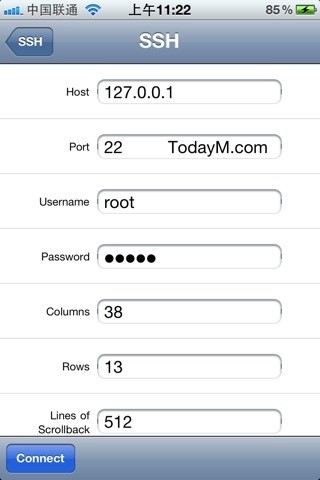
申请了一个micro之后,听人介绍说,用它来做网站会很耗资源,于是想到的就是,可以用来做ssh tunnel,用来翻翻墙啦。
果然,我用xshell在菜单的tunneling中选择了dynmac后,自动把商品设为1080,然后就能翻墙了。
开始上上facebook了。但其实我很纠结的是,我几乎没有好友在上面,推特我的兴趣也不大,可能只是用来看看一些平时看不到的技术性文章吧。
如果你有信用卡,你也可以尝试使用一年免费的ssh上网哦。

笔记1
这段时间在和IOS开发的同事们互相配合,本来是有笔记都会记录下来的。然而那段时间网站备案出点问题。然后就没有记录下来。于是现在开始就要把当时遇到的一些问题开始记录了。
比如这个。原本程序写的时候没有考虑推送,但是在进行了一阵后,发现还是需要推送才行,但当时创建的版本是是类似xxx.xxx.*,如果用推送的话就不能xxx.xxx.*,而是要用具体的版本(因为不是我写的啦,所以说不太清楚),后来找到了官方的介绍:
http://developer.apple.com/library/ios/#qa/qa1680/_index.html
可以从这里看:
Updating from a wildcard App ID to an explicit App ID
Q: My application is currently signed with a Provisioning Profile that uses a wildcard App ID. How do I enable my App ID to support In App Purchase or Apple Push Notification service?
A: My application is currently signed with a Provisioning Profile that uses a wildcard App ID. How do I enable my App ID to support In App Purchase or Apple Push Notification service?
In App Purchase and Apple Push Notification service require that your application is signed with a Provisioning Profile, which uses an explicit App ID such as com.mycompany.myappname. So, if you have shipped an application signed with a Provisioning Profile that uses a wildcard App ID such as com.mycompany.*, you may wonder how to enable that App ID to handle these features. The answer is to keep your project's Bundle ID the same and create a new App ID in the iPhone Portal that matches the Bundle ID you are currently using in your project. Follow the steps below to enable an App ID that supports In App Purchase or Apple Push Notification service:
-
Identify your application's current Bundle ID
You can find your Bundle ID by looking in your project's Info.plist file, however it is best to check what iTunes Connect says it is. Log in to iTunes Connect, navigate to the Manage Your Applications module present in the home page, then select the App Details link for the application you are updating, and copy the bundle identifier displayed in the ensuing page.
-
Create a new App ID
Your Team Agent or Team Admin should log in to the iPhone Portal and navigate to its App ID section to create a new App ID. In the App ID section, click on the New App ID button to navigate to the Create App ID form, which contains a Description field, a Bundle Identifier field, a Bundle Seed ID pop-up menu, and a Submit button as shown in Figure 1. Fill out the Description field with a meaningful name such as
Explicit App ID for MyAppNamefor your App ID, select Generate New from the Bundle Seed ID pop-up menu, and paste the previously copied bundle identifier into the Bundle Identifier field. Click Submit to save the new App ID.

-
Enable the newly created App ID for In App Purchase or Apple Push Notification service
Find your App ID in the App ID section of the Program Portal, click the Configure link next to it, and follow the instructions to enable your App ID for either In App Purchase or Apple Push Notification service.
-
Update or create, download, and install a Provisioning Profile that uses your App ID enabled for In App Purchase or Apple Push Notifications
Edit an existing Provisioning Profile or create a new one, and then associate it with your newly created App ID. Download and install this Provisioning Profile on your machine and select it in the Code Signing Identity section of your Target's Build pane in Xcode. Update the version number of your binary, build it, test it, and upload it to iTunes Connect for review.
看最后的两点就知道怎么操作了啦。。这些资料还是需要找英文的,MD,中文里就找不到类似的资料 。。。真TMD狗屎

终于通了。NND
历经多时,终于又通了。
6年的备案啊。。哭泣中
顺便,首页的模版被我误删除了。靠。
