原文网址:http://valokuva.org/?p=59
原文内容:
Usually images are watermarked using a predefined color (let's say for example "white"). How well does this actually work when you're doing the watermark on a light or even a white image? The answer is simple: not very well.
This example illustrates how to use ImagickPixelIterator to get the average luminosity of the background and chosing text color according to it. I tested this algorithm very briefly and the results seemed positive. There's four example images posted at the end of this post to show why background matters when doing a watermark.
代码:
<?php

/* Allowed images */
$allowed = array( "strawberry.png", "Imagepng" );
$img = ( isset( $_GET['img'] ) && in_array( $_GET['img'], $allowed ) )
? $_GET['img'] : 'strawberry.png';

/* Read the image in. This image will be watermarked. */
$image = new Imagick( $img );
$image->setImageFormat( "png" );

/* The text to write on the mark */
$text = "www.valokuva.org";

/* This object will hold the font properties */
$draw = new ImagickDraw();

/* Setting gravity to the center changes the origo
where annotation coordinates are relative to */
$draw->setGravity( Imagick::GRAVITY_CENTER );

/* Use a custom truetype font */
$draw->setFont( "./WCManoNegraBta.ttf" );

/* Set the font size */
$draw->setFontSize( 26 );

/* Create a new imagick object */
$im = new imagick();

/* Get the text properties */
$properties = $im->queryFontMetrics( $draw, $text );

/* Region size for the watermark.
Add some extra space on the sides */
$watermark['w'] = intval( $properties["textWidth"] + 5 );
$watermark['h'] = intval( $properties["textHeight"] + 5 );

/* Create a canvas using the font properties.
Add some extra space on width and height */
$im->newImage( $watermark['w'], $watermark['h'],
new ImagickPixel( "transparent" ) );

/* Get a region pixel iterator to get the pixels in the watermark area */
$it = $image->getPixelRegionIterator( 0, 0, $watermark['w'], $watermark['h'] );

$luminosity = 0;
$i = 0;

/* Loop trough rows */
while( $row = $it->getNextIteratorRow() )
{
/* Loop trough each column on the row */
foreach ( $row as $pixel )
{
/* Get HSL values */
$hsl = $pixel->getHSL();
$luminosity += $hsl['luminosity'];
$i++;
}
}

/* If we are closer to white, then use black font and
the other way around */
$textColor = ( ( $luminosity / $i )> 5 ) ?
new ImagickPixel( "black" ) :
new ImagickPixel( "white" );

/* Use the same color for the shadow */
$draw->setFillColor( $textColor );

/* Use png format */
$im->setImageFormat( "png" );

/* Annotate some text on the image */
$im->annotateImage( $draw, 0, 0, 0, $text );

/* Clone the canvas to create the shadow */
$watermark = $im->clone();

/* Set the image bg color to black. (The color of the shadow) */
$watermark->setImageBackgroundColor( $textColor );

/* Create the shadow (You can tweak the parameters
to produce "different" kind of shadows */
$watermark->shadowImage( 80, 2, 2, 2 );

/* Composite the text on the background */
$watermark->compositeImage( $im, Imagick::COMPOSITE_OVER, 0, 0 );

/* Composite the watermark on the image to the top left corner */
$image->compositeImage( $watermark, Imagick::COMPOSITE_OVER, 0, 0 );

/* Display the results */
header( "Content-Type: image/png" );
echo $image;

?>Here is strawberry.png with black watermark (this was chosen by the script):
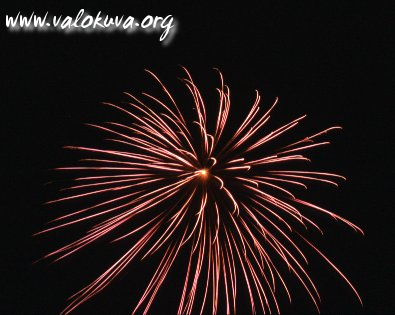
And here is strawberry.png with white watermark:
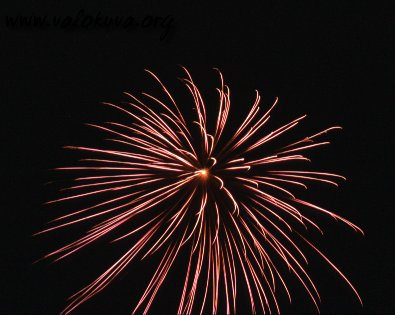
Image32.png with white watermark (this was chosen by the script):
Image32.png with black watermark:
cascading-style-sheet-2.0-中文手册.chm
P.S. I opened a new page for the Windows Imagick builds. Seems like my dynamic builds work pretty well, so I will keep providing them thru this site.
--END--
看这个明显可以看出效果比GD好很多,而且代码也没有那么复杂。如果服务器上装了imagemagick扩展,还是用这些比较方便啊

评论 (0)
暂无评论